

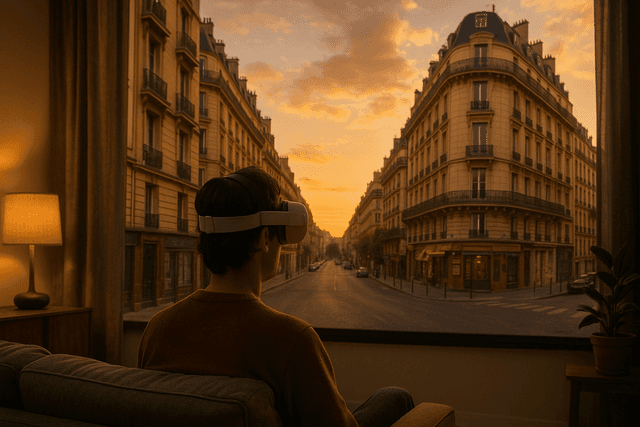
There is a moment every traveler knows well: you stumble across an old photo, and for a second you can almost hear the street noise again, almost smell the bakery on the corner, almost feel the breeze from the river. Then the feeling slips away. Revisit on Meta Quest is built for that moment — a VR app that lets you step back into places you love, using familiar Google Earth and Google Maps Street View imagery, but wrapping it in full virtual reality so you feel as if you are there again, not just staring at a flat screen.
Designed as a VR travel and nostalgia experience rather than a traditional game, Revisit turns “VR Travel, Relax, Tourism, VR Paris, VR London, VR Japan” from a keyword list into something you can actually experience. On Meta Quest headsets such as Quest 3 and Quest 3s, the app lets you browse almost any location’s street-level view and surround yourself with it in 360 degrees — whether you are preparing a future trip, remembering an old one, or simply exploring the world from your sofa.
Within the official Meta Quest experience Revisit, familiar map images become personal time capsules. Instead of dragging a mouse on a monitor, you turn your head, take a step, and feel the city respond around you.
From Flat Screens to Living Streets: How Revisit Changes Virtual Tourism
Anyone who has used Google Maps or Google Earth on a laptop knows how powerful street-level imagery can be. You click along a road in Paris, London, or Tokyo, and suddenly the whole city unfolds in photographs. But those moments are still confined to a rectangle on your desk. What Revisit does as a VR app on Meta Quest is to take that familiar experience and wrap it around you. The result is not just “looking at Paris,” but standing in a VR reconstruction of Paris built from those images.
Because the app is built specifically as a VR application rather than a flat mobile tool, the design naturally leans toward comfort and immersion. Instead of panning with a mouse, you rotate your head. Instead of pinching and zooming, you simply look closer. The environment is rendered as a virtual sphere or similar VR-friendly container that places the Street View photography at the right distance around you, minimizing distortion and helping the brain accept what it sees as a coherent space.
On traditional screens, map browsing is often a task-focused activity: find a route, check an address, glance at nearby landmarks. In VR, that same imagery can turn into an experience in its own right. A session with Revisit can feel more like an evening walk than a quick search. You might start by checking the streets around your next hotel in London and end up losing yourself in a nighttime tour of the Thames, just because it is so easy to linger and look around when the scene fills your field of view.
Memories in 360 Degrees: Time Travel, Family Stories, and Nostalgic Walks
The heart of Revisit is not only exploration, but nostalgia. According to its feature description, the app is built so that users can browse any available street view location in Google Maps and see it in VR “just like truly being there.” That small design goal has big emotional consequences. Instead of saying, “We went there once,” you can stand in that place again, shoulder to shoulder with the people you care about.
Imagine a family gathered in the living room. A parent puts on the Meta Quest headset and loads the street where they grew up. They pass the headset around. Each person looks at the same corner store, the same school gate, the same apartment block. Stories surface that would never have come up over a simple slideshow. The VR context gives everyone a shared reference frame: the angle of the sun, the texture of the pavement, the shape of the neighborhood. Revisit becomes a storytelling tool as much as a travel app.
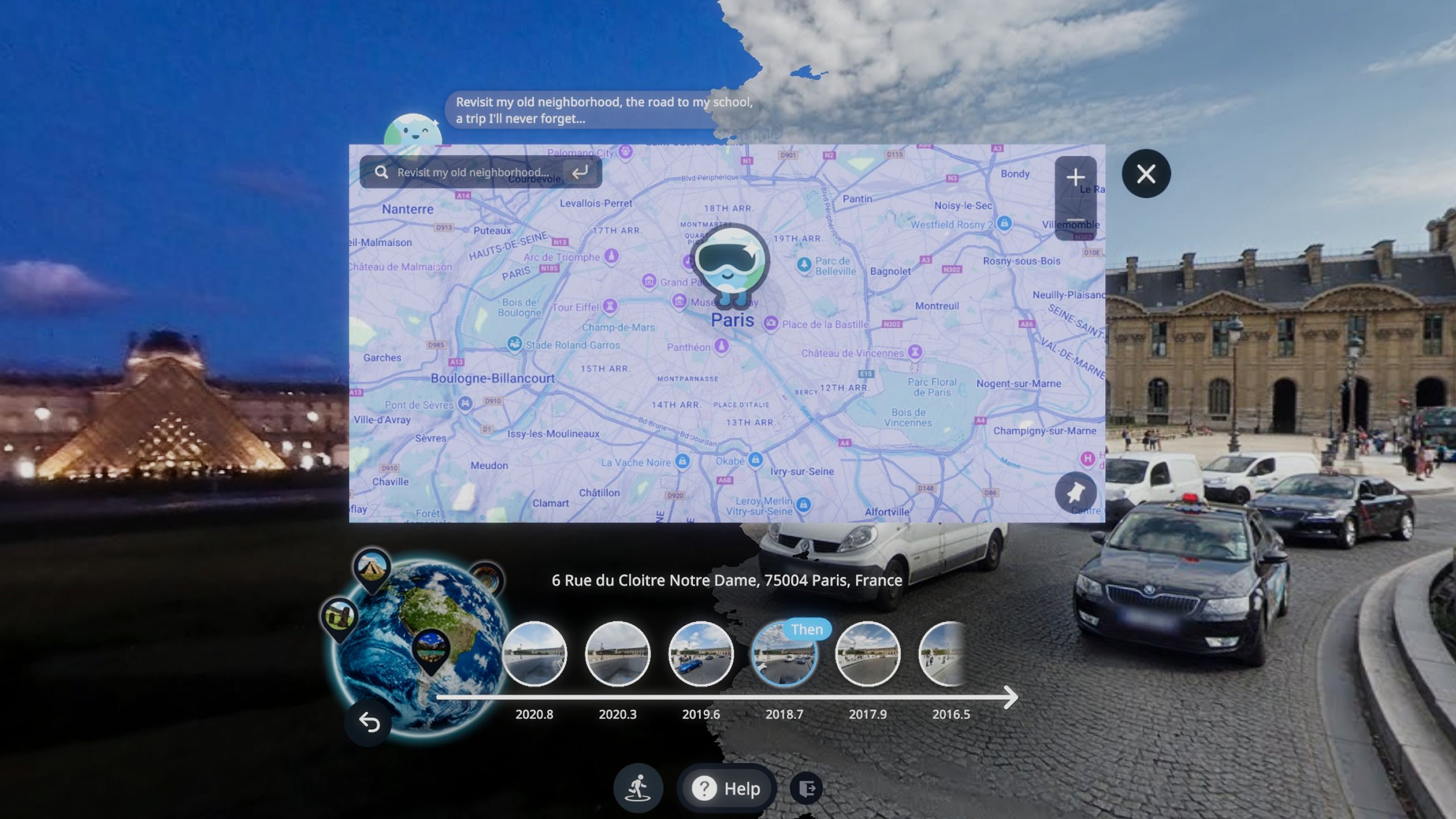
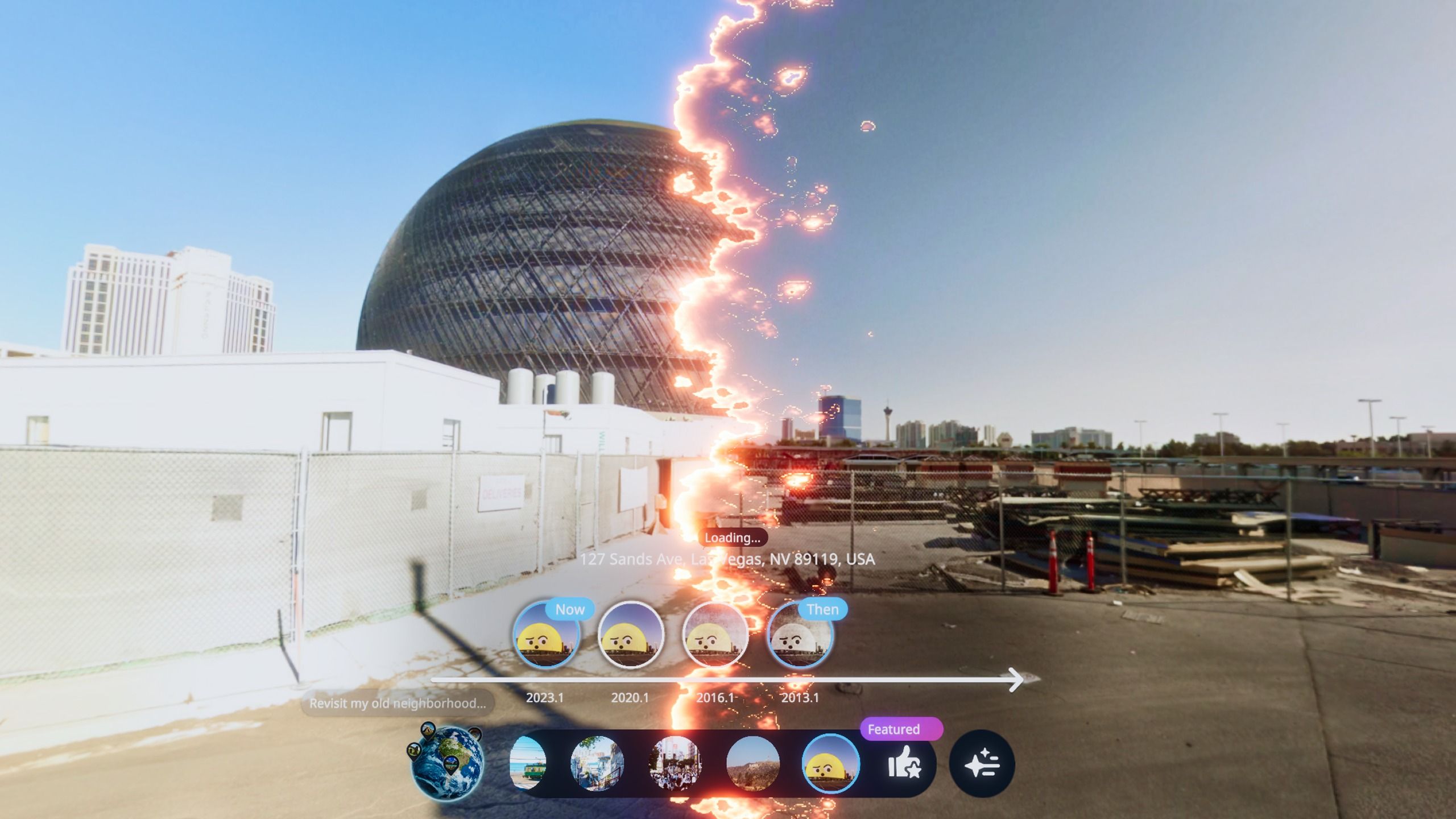
The app’s concept also naturally supports a kind of “time travel” through imagery. When historical imagery is available, you can compare different years of the same street, watching how shop fronts change, how billboards come and go, how a quiet suburb slowly becomes a dense city block. It is not time travel in the science-fiction sense, but it is a very human version: revisiting your own timeline, and the city’s, one captured moment at a time.
In practice, this can be as simple as walking through the street where you and your partner first met, or showing your children the neighborhood you lived in years before they were born. The app’s design — focused on recalling past journeys and “reliving precious memories” — turns static map data into a living scrapbook.
World Tour from the Sofa: Paris, London, Japan and Beyond
Revisit is not only about places you have already visited. The metadata behind the app highlights “VR Travel” and iconic city names such as VR Paris, VR London, VR Japan, pointing to its role as a global tourism sandbox. For many people, VR travel is a way to experience cities they may never physically reach, or to scout destinations they are considering for their next trip.
From an experiential point of view, this kind of VR tourism has a few advantages over traditional online research:
- True sense of scale: Looking at a photograph of the Eiffel Tower is one thing; standing at its base in VR, with the structure rising above you, gives a much clearer idea of its size and surroundings.
- Neighborhood context: In Revisit, you can move from a famous landmark into the back streets, seeing how quiet or busy they feel, how wide the sidewalks are, and what kind of shops cluster nearby.
- Emotional preview: Instead of evaluating destinations only on price and distance, you can ask: “Do I enjoy the mood of this place?” VR helps that question feel concrete.
This is particularly helpful on Meta Quest devices like Quest 3 and Quest 3s, which many users already own for gaming and fitness. Revisit extends the headset’s role into the domain of travel planning and relaxation. A typical evening session might begin as a quick check of a museum’s location and turn into a full virtual wander through several districts across different countries.
For travelers who are between trips, or unable to travel for health or budget reasons, this becomes more than entertainment. It is a way to keep their curiosity alive, to “walk” through new cities without the friction of flights and hotels. The app’s emphasis on calm exploration and sightseeing supports that role: this is VR as a window onto the world, not just a stream of high-adrenaline experiences.
Classrooms, Long-Distance Love, and Everyday Education
The feature description for Revisit explicitly calls out education and long-distance relationships as key scenarios. That makes sense: VR street exploration aligns naturally with both.
In a classroom, a teacher can use Meta Quest and Revisit to take students on a virtual field trip. Instead of relying on textbook photos, the class can stand together in front of a museum, a historical square, or a geological landmark. The teacher can point out architectural details, ask students to describe what they see, or invite them to notice differences between cities. When learners feel they are “actually there,” retention and engagement often improve compared with flat images or text alone.
For couples separated by distance, Revisit can become an intimate bridge. One person might queue up the street outside their partner’s apartment, or the café where they first met, and share that scene in a video call while the other watches the headset feed on a screen. The app is described as “a VR surprise for lovers in long-distance relationships,” and that description perfectly captures its value: it gives you a place, not just a chat window, in which to feel close again.
Even outside formal education or romance, everyday users can treat Revisit as a gentle mental reset. After a stressful day, you might slip on the Quest 3, load a quiet coastal road in Japan or a tree-lined avenue in a European city, and simply wander for ten minutes. Unlike many VR games that demand fast reflexes and constant attention, this style of VR app leans into relaxation. It offers a slow, contemplative mode where the simple act of looking around is the “gameplay.”
Built on Meta Quest: Comfort, Trust, and a Sense of Place
Because Revisit runs on the Meta Quest platform, including devices such as Quest 3 and Quest 3s, it benefits from VR hardware that is already tuned for long, comfortable sessions. High-resolution displays, reliable head tracking, and a broad field of view all help make those map-derived streets feel more convincing and less like a stitched panorama.
From a trust perspective, delivering the app through the official Meta Quest store means users access it through an ecosystem with established standards for content, permissions, and updates. While the app’s internal code is not something end users see, they can rely on familiar platform behaviors: clear install prompts, standardized permission requests, and the ability to update or remove the app from the same library they use for other experiences.
Community response also plays a key role in VR app ecosystems. Ratings and reviews on the store — even without quoting specific scores here — help future travelers judge whether Revisit aligns with their expectations: Is it easy to navigate? Do the images load quickly enough for relaxing exploration? Does it work well on their particular Quest model? Over time, that feedback loop guides both new users and the app’s own evolution.
Compared with high-stakes products like real-money games, Revisit does not need crypto fairness mechanisms or provably fair algorithms. Its “fairness” is rooted instead in faithful representation: the app’s purpose is to show you the world as captured by Google’s cameras, in a way that feels authentic and unmanipulated. As long as streets appear as they were photographed and navigation behaves predictably, users can trust what they see enough to use it for nostalgia, planning, or learning.
Questions Time Travelers Keep Asking
Q: What does a typical Revisit session feel like on Meta Quest?
A: A common pattern goes like this: you put on your Quest 3, open Revisit, and search for a city — perhaps Paris. You appear near a landmark, such as a bridge or a famous square, and look around as the environment wraps around you. After a minute or two, you move a few “steps” along the road using the app’s navigation controls, turning your head naturally to inspect windows, side streets, and distant skylines. Fifteen or twenty minutes later, you realize you have followed your curiosity through several blocks, maybe even jumped to another city like London or a quiet Japanese neighborhood, all without leaving your living room. It feels less like “playing a game” and more like roaming through a memory or a dream of travel.
Q: Is Revisit only for people who already travel a lot?
A: Not at all. The app is equally suited to three groups: people who love to travel and want to relive their journeys; people who are thinking about future trips and want to scout neighborhoods; and people who may not be able to travel easily but still want to feel connected to the wider world. Because the experience is built around street imagery rather than fast-paced mechanics, beginners in VR can enjoy it without worrying about complex controls.
Q: How does Revisit compare to just using Google Maps on a phone or PC?
A: Technically, both approaches access the same kinds of street-level imagery. The difference lies in how your body and brain receive that information. On a phone, you are always aware of the edges of the screen. In VR on Meta Quest, the scene surrounds you; the image reaches your peripheral vision and responds naturally when you turn your head. That makes it easier to judge distances, notice small details, and feel that you are “inside” the place rather than peeking at it through a window. Many users find that this immersive contact with a location leaves a stronger emotional impression than flat browsing.
Q: Can Revisit be used for teaching and presentations?
A: Yes, the app’s feature description specifically mentions education and museum visits. A teacher can, for example, guide students through a famous boulevard, pause to discuss buildings and monuments, then jump to another country to compare styles. Likewise, a presenter might load the street outside a partner’s headquarters during a virtual meeting to give colleagues a more tangible sense of place. While each classroom or organization will have its own setup, the core capability — standing inside a real-world location captured in street photography — is a powerful visual aid.
Q: What do I need to get started?
A: You need a compatible Meta Quest headset, such as Quest 3 or Quest 3s, and access to the Meta Quest store where the Revisit experience is listed. Once installed, you simply launch the app, select or search for locations, and begin exploring. Because the app is designed around existing map imagery, the main requirements are that your headset is comfortable for you to wear and that your play area is set up safely, whether you are seated or standing.
Q: Who is Revisit really for?
A: At its core, Revisit is for anyone who feels that places matter — for those who believe streets, buildings, and skylines carry stories. That includes seasoned travelers wanting to relive their favorite cities, families sharing memories across generations, long-distance couples looking for a shared space, students and teachers hungry for real-world context, and dreamers who simply like to wander. If you see your VR headset as more than a game console, and more like a window onto the world, this app fits naturally into your library.
In a VR landscape crowded with intense games and rapid-fire experiences, Revisit offers something quieter and, in many ways, deeper: the chance to stand again in the places that shaped you, or to explore new ones with an almost physical sense of presence. It does not replace real travel, but it does bridge gaps of time and distance — and sometimes, that is exactly what we need.