

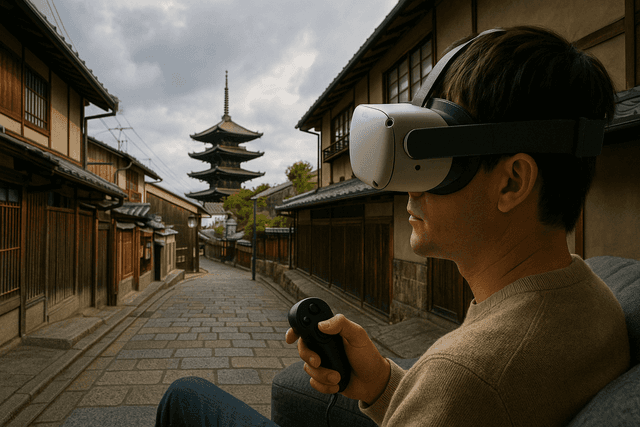
There is a particular kind of silence that falls when you step into virtual reality: the room fades, and suddenly the world in front of you is an unfamiliar street, a familiar corner, or a city you have only dreamed about. That hush is where Revisit lives. Built as a VR app for Meta Quest rather than a traditional game, it takes Street View and Google Earth imagery and turns them into full-sphere spaces that surround you with VR Travel, Relax, Tourism vibes — whether you are wandering VR Paris, peeking down alleys in VR London, or quietly exploring neighborhoods in VR Japan.
Instead of chasing scores or achievements, the focus here is simple: browse any available Google Maps street scene and see it as if you were standing there. That single feature opens a surprising range of uses — from reliving old trips and rekindling nostalgia to preparing for museum visits, helping with education, or sending a heartfelt “time-travel postcard” to someone in a long-distance relationship. It is the kind of VR experience that feels understated at first glance, then reveals just how powerful and emotional Street View can become once it is no longer trapped inside a browser window, especially when experienced through Revisit.
A Street View Window That Wraps Around You
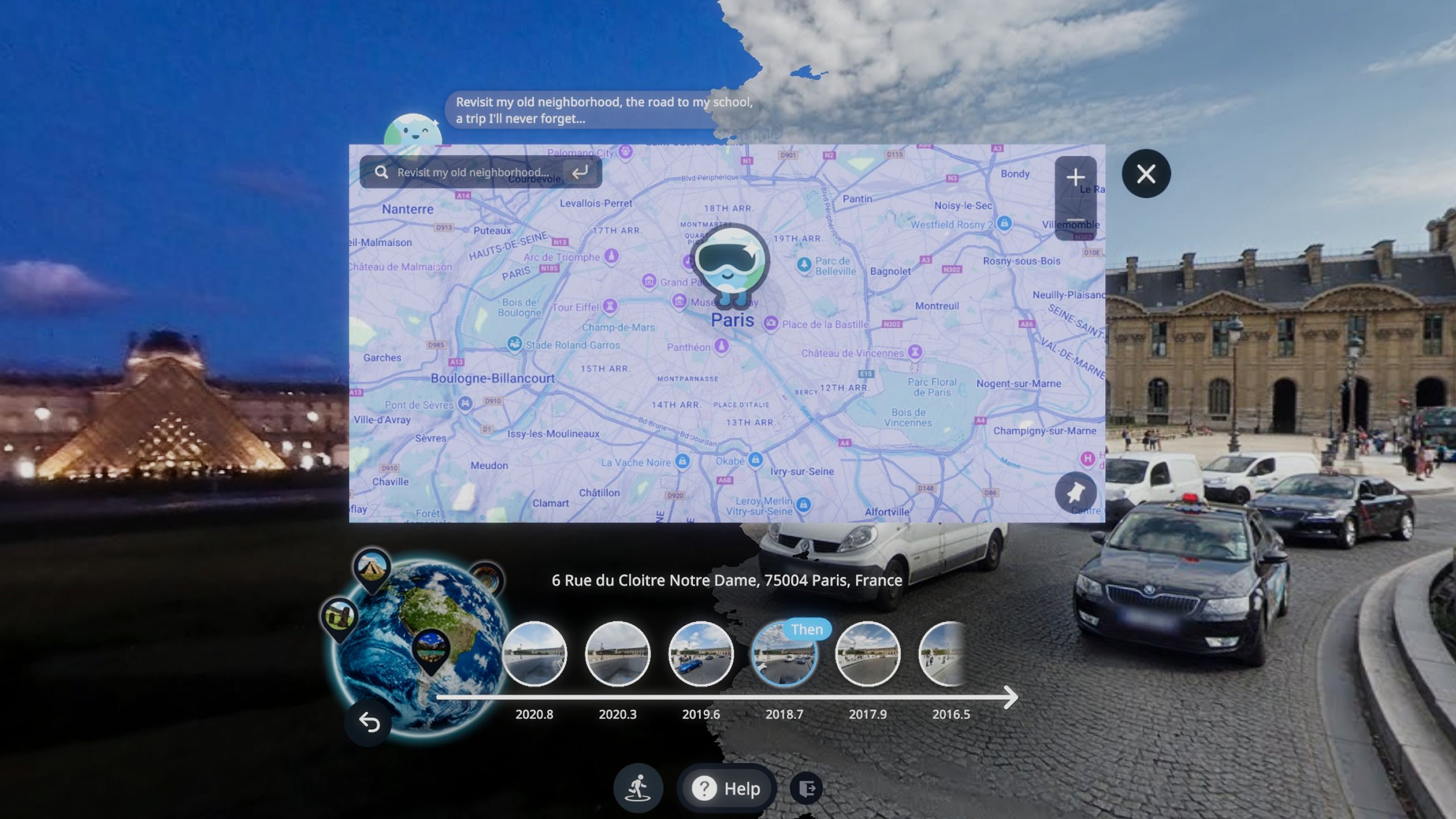
On a laptop, Street View is a clever tool. On Meta Quest, it becomes a room you can step into. The core feature of this VR app is straightforward: the user can pick almost any location covered by Google Maps, load the street-level imagery, and have it presented in VR so that it surrounds their vision. Buildings, sidewalks, trees, and sky stretch out in every direction; a subtle turn of the head reveals a new façade or side street that would be easy to miss on a flat screen, and this is precisely what Revisit makes so effortless.
From an interaction-design standpoint, this makes smart use of what VR does best. You no longer drag a mouse or swipe a finger to rotate the view; you simply turn your head. You no longer zoom to inspect a distant window; you lean forward slightly and let your natural depth perception do the work. Because this is a vr app and not just a port of a mobile interface, the navigation is tuned for comfort: short, deliberate hops down the street rather than dizzying free-flight. The result is not a flashy technical demo, but a calm, intuitive way to inhabit places captured by Google’s cameras, all orchestrated through Revisit.
For many users, this is their first true taste of what “presence” means: that moment when your brain believes you are in a different place even though you know you are still standing in your own living room. Once you have felt that shift in Revisit, it is hard to look at regular Street View the same way again.
Travel, Relaxation, and the Quiet Magic of Nostalgia
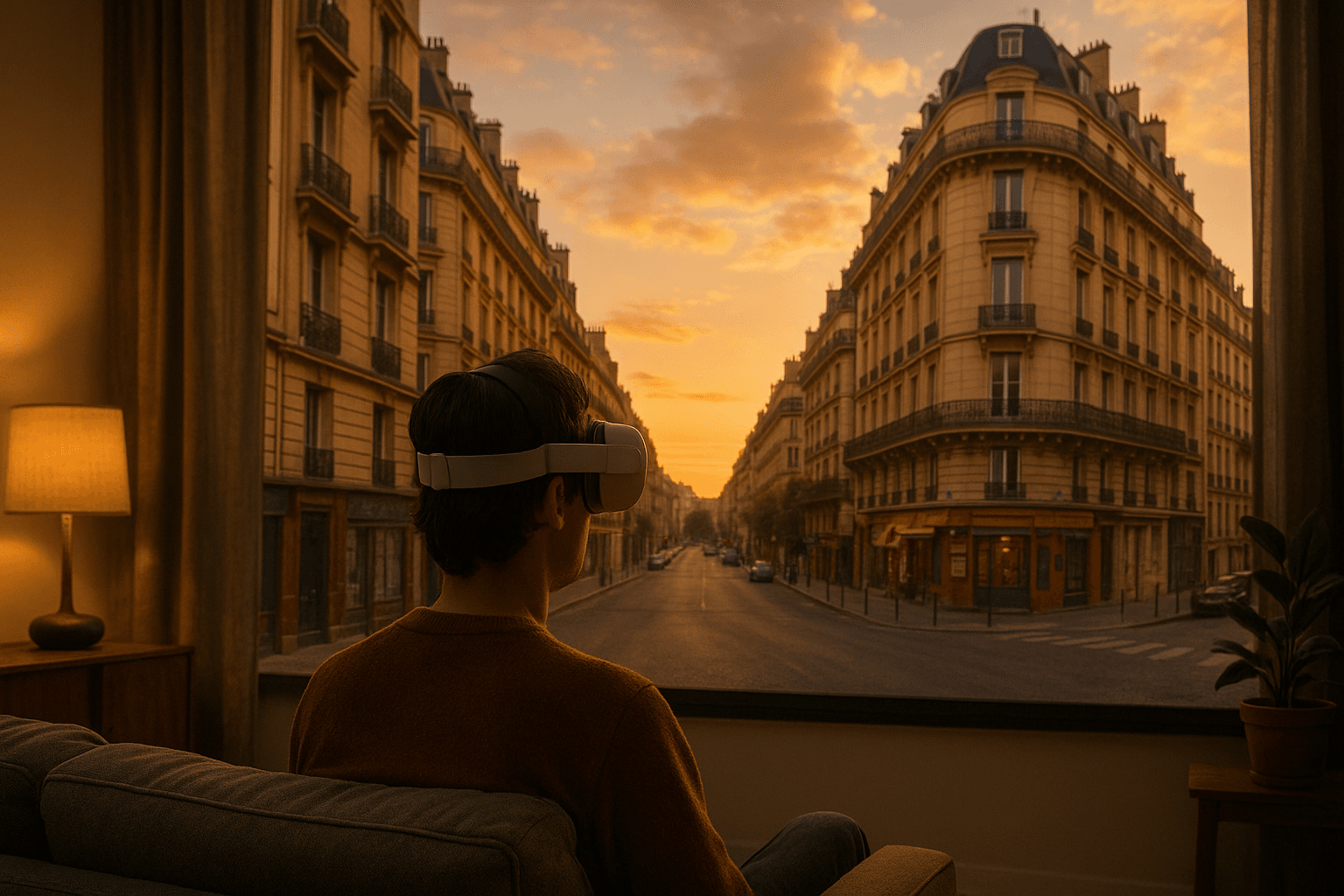
The main keywords behind the project — VR Travel, Relax, Tourism — are not just marketing phrases. They accurately describe what people tend to do once they slip the Meta Quest headset on and open Revisit. Some nights, it is a world tour: a quick jump to a Parisian boulevard for the evening light, a stroll through a London square, then a detour along a quiet Japanese residential street. Other nights, it is all about nostalgia: revisiting the hotel street from a honeymoon, the campus path from university days, or the block where you rented your very first apartment.
One user story illustrates this well. Imagine Alex, who studied abroad years ago and still talks about that time constantly. After dinner, Alex picks up the headset, launches Revisit, and types the name of a small Italian town into the search bar. Within seconds, they are standing in front of the familiar fountain, the same one that appears in all the old photos. As Alex slowly rotates, memories surface — the café where friends met after class, the narrow alley that always smelled of fresh bread. Nothing in the scene is physically new; it is the same Street View data anyone could access on a laptop. But in VR, the emotional weight of those places comes rushing back.
Psychologically, this is a powerful use of VR’s strengths. Research on memory shows that we recall events more vividly when we can reconstruct the surrounding context — buildings, light, weather, even the rough layout of the street. By letting users re-experience those details in 360 degrees, Revisit effectively gives their brain additional cues for pulling old experiences back into focus. It is not “time travel” in the science-fiction sense, but for many people it feels close enough.
Why Meta Quest Is the Perfect Home for This Kind of VR
Because the experience is designed for the Meta Quest platform, including Quest 3 and other standalone headsets, it strikes a balance between accessibility and immersion. There is no need for a high-end gaming PC or complicated sensor setup; the device, the app, and a bit of clear floor space are all you need. That matters for an application aimed at everyday travel, relaxation, and memory rather than hardcore gaming, and it is exactly the environment in which Revisit thrives.
From a trust and safety perspective, running through the official Quest store also helps. Users install and manage Revisit the same way they do any other VR title, with familiar update mechanisms and clear permission prompts. There is no real-money wagering, no cryptic economic mechanics, and no opaque randomness to worry about. The most important “fairness” question here is whether the streets you see genuinely match what Google’s cameras captured.
On that front, the app leans on a strong foundation: imagery from Google Maps and Google Earth. People already use these sources to navigate cities, check landmarks, and plan trips; they know what it means to trust that data. The VR layer in Revisit does not alter the underlying photographs; it simply remaps them into a spherical or panoramic format suited for head-mounted displays. That transparency — you are clearly looking at Google’s view of the world, not an unknown reconstruction — goes a long way toward making the experience feel reliable.
From Long-Distance Romance to Museum Field Trips
In education, a teacher can use Revisit on a single headset to prepare lessons or to give small groups short, intense “field trips.” Before visiting a museum, students can virtually stand outside its entrance, see the surrounding streets, and understand where the building sits within the city. During geography lessons, the class can compare the layout of a European old town with the grid of a modern American city or the winding streets of a hillside village. Because everything is grounded in real photography, there is no need to worry about fictionalized details; the learning material is literally the world itself.
In long-distance relationships, Revisit becomes something closer to a shared diary. Couples might choose locations that matter to them — the street where they first met, the city they hope to visit together – and explore them during calls or video chats. Even if only one partner is in VR at a time, describing what they see, capturing screenshots, or streaming the view can turn a simple conversation into a sense of walking together. The app does not claim a dedicated co-presence system in its description, so each couple will find their own way of sharing the experience. What matters is that the geography they talk about feels tangible rather than abstract.
A Real-World Walkthrough: One Evening With the App
To understand how all these ideas come together, picture a single evening with Revisit from start to finish. You finish work, pick up your Meta Quest headset, and settle into a comfortable chair. Once the app is open, you search for a city you have never visited — say, Kyoto. The scene loads: a tree-lined street, low buildings, power lines, and a pale sky. You glance left to read shop signs, right to see side streets, and down to study the pavement. There is no rush; you stay as long as you like, absorbing small details a normal tourist might miss.
A few minutes later, you hop to VR Paris, standing on a bridge as the city stretches away on both sides. Then you jump again, this time to the familiar street near your childhood home. The contrast between dream destinations and grounded personal memory is striking. In less than an hour, you have covered three countries and several emotional states without leaving your couch. There are no complex menus, no difficulty spikes, and no failure screens — only the steady rhythm of choosing a place, appearing there, and letting your attention wander, guided by Revisit.
Experiences like this illustrate why simple, focused VR apps such as Revisit can have such a strong impact. They respect your time, they do not overload you with instructions, and they leave plenty of room for your own stories to fill the gaps between buildings and streets.
Presence, Memory, and the Psychology Behind Feeling “There”
From an expert perspective, what makes Revisit noteworthy is not a novel rendering technique, but its alignment with how human perception and memory work. Presence — the feeling of “being there” — depends on more than high resolution. It thrives when the environment responds naturally to head movements, when the field of view is wide enough that you do not constantly see the edges of the display, and when the content itself is coherent and recognizable.
Street View imagery excels at coherence: it shows the real world with all its small imperfections, from parked cars to uneven sidewalks. When you view it in VR through Revisit, your brain stitches those details together into a convincing scene. That, in turn, reinforces memory. Standing in a familiar place, even virtually, helps you recall emotional episodes associated with it; standing in an unfamiliar place prepares your mind for future travel by building a mental map ahead of time.
At the same time, Revisit benefits from the safety of abstraction. You know you are in a recording, not a live feed. There is no sense that you are being watched, and no expectation to perform. For sensitive users — including children using the app for education — that can feel much safer than diving straight into busy social VR spaces. Combined with Meta Quest’s platform controls for guardian boundaries and casting, it gives parents and teachers practical levers for supervising use.
Answers for First-Time Explorers
Q: What exactly is the main purpose of this app?
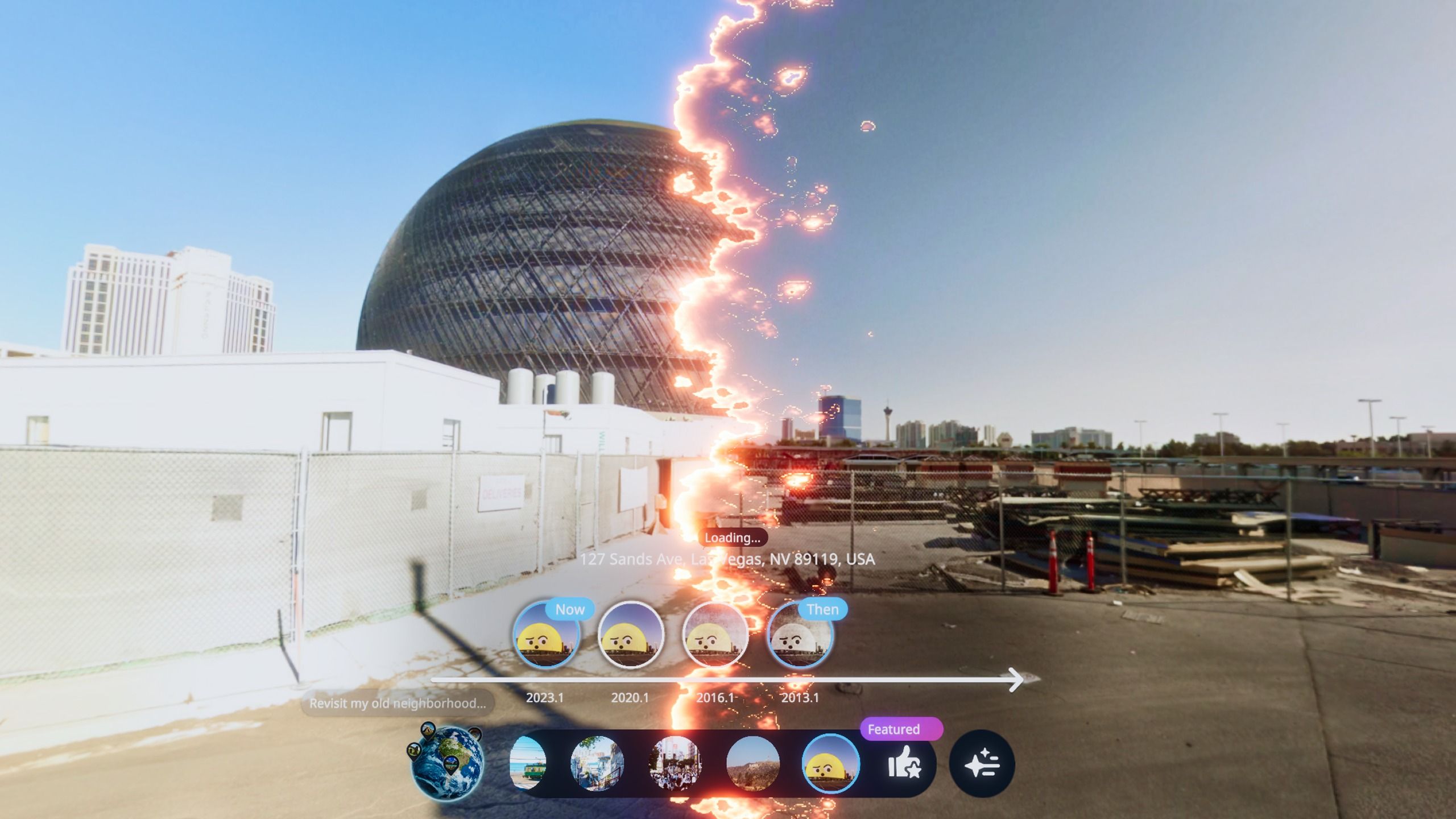
A: The app is designed as a VR travel and memory tool. Its primary function is to let you browse almost any Google Maps Street View location and experience it inside a Meta Quest headset, so you can explore cities, revisit meaningful spots, relax in familiar scenes, or prepare for future trips — all powered by Revisit.
Q: Is it more suitable for gamers or for casual users?
A: It is squarely aimed at casual users: travelers, students, couples, families, and anyone who enjoys quietly observing the world. There are no reflex-based challenges or game scores, which makes it approachable for people who might find traditional VR games overwhelming. If you can put on a headset and look around, you can enjoy Revisit.
Q: Can I use it for serious planning, like scouting neighborhoods before I travel?
A: Yes, within the limits of Street View coverage. Many people use Revisit to get a feel for the character of streets and districts before booking hotels or planning walking routes. It is helpful for understanding how far landmarks are from each other, how wide the sidewalks are, and what the overall atmosphere of an area might be.
Q: What about security and privacy?
A: The app runs on Meta Quest through the official store, which means installs and updates go through the same channels as other Quest titles. The imagery itself is drawn from Google’s existing Street View and Google Earth content, so you are seeing public, pre-captured photographs rather than live camera feeds. As always, it is a good idea to review your headset’s general privacy settings and ensure you are comfortable with how casting or screenshots are used in your household or classroom when using Revisit.
Q: Does the app store or track where I look?
A: The publicly available description focuses on what you can do — browse Street View, revisit memories, explore for education or tourism. It does not detail analytics or tracking behavior. As a best practice, users should refer to the official store listing and platform privacy documentation for the most accurate, up-to-date information on data handling, and make decisions accordingly when using Revisit.
Q: Who will get the most value out of investing time in this experience?
A: Anyone who believes that places matter. Travelers who want to relive trips, students hungry for real-world context, teachers designing museum and city lessons, couples in long-distance relationships, and people who simply enjoy wandering streets for the pleasure of observation will all find reasons to return. If your ideal VR session involves quiet exploration more than fast action, Revisit belongs near the top of your Meta Quest library.
In a VR ecosystem crowded with action games and rapid-fire experiences, this Street View-powered journey offers something more reflective: a way to weave VR, Google Earth, Time Travel, Nostalgia, Museum visits, Education, Long-distance Relationship stories and personal memory into one gentle but surprisingly profound routine. Slip on your headset, pick a street, and see where your mind decides to wander next with Revisit.