

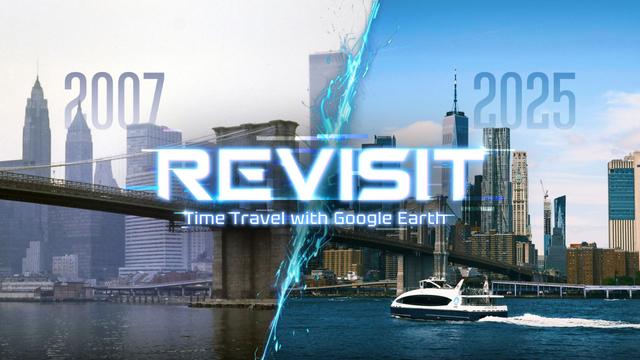
Revisit is exactly what its name promises: a way to step back into places that shaped you and watch time itself peel away like old paint. Built for the Meta Quest family—including Quest 3 and Quest 3s—this VR app turns the world’s Street View imagery into immersive, room-scale moments you can stand inside. One glance around and you’re no longer “watching” a map—you’re there. The familiar blue dots of Google’s coverage become doorways into memory; the time-travel controls turn those doorways into timelines. If you’ve ever zoomed through Google Earth on a desktop and wished you could stand in the scene, Revisit is the answer that only VR can deliver.

Let’s be clear about scope and claims, because accuracy matters. Revisit presents Street View panoramas in a head-mounted display and lets you browse locations just as you would on a traditional screen—only now at human scale. The app’s defining twist is temporal: when historical imagery is available for a spot, you can compare what a street looked like years apart and feel the contrast with your whole body. That simple power—VR, Time Travel, and genuine Nostalgia—is a potent combination on Meta Quest.
Streets Become Scenes, Years Become Neighbors
In a flat browser tab, Street View is efficient. In VR, it becomes emotional. You don’t “scroll” past a storefront—you crane your neck to see the sign and notice the weathered light fixture above the awning. Turning time forward and back reveals what changed and what refused to: a new café replacing an old hardware store, scaffolding that briefly hid a mural, a bus route that brought different life to the block. Because the images fill your field of view, details you never would have caught on a monitor suddenly feel obvious and personal. That’s the core thrill of Revisit: spatial context plus temporal contrast.
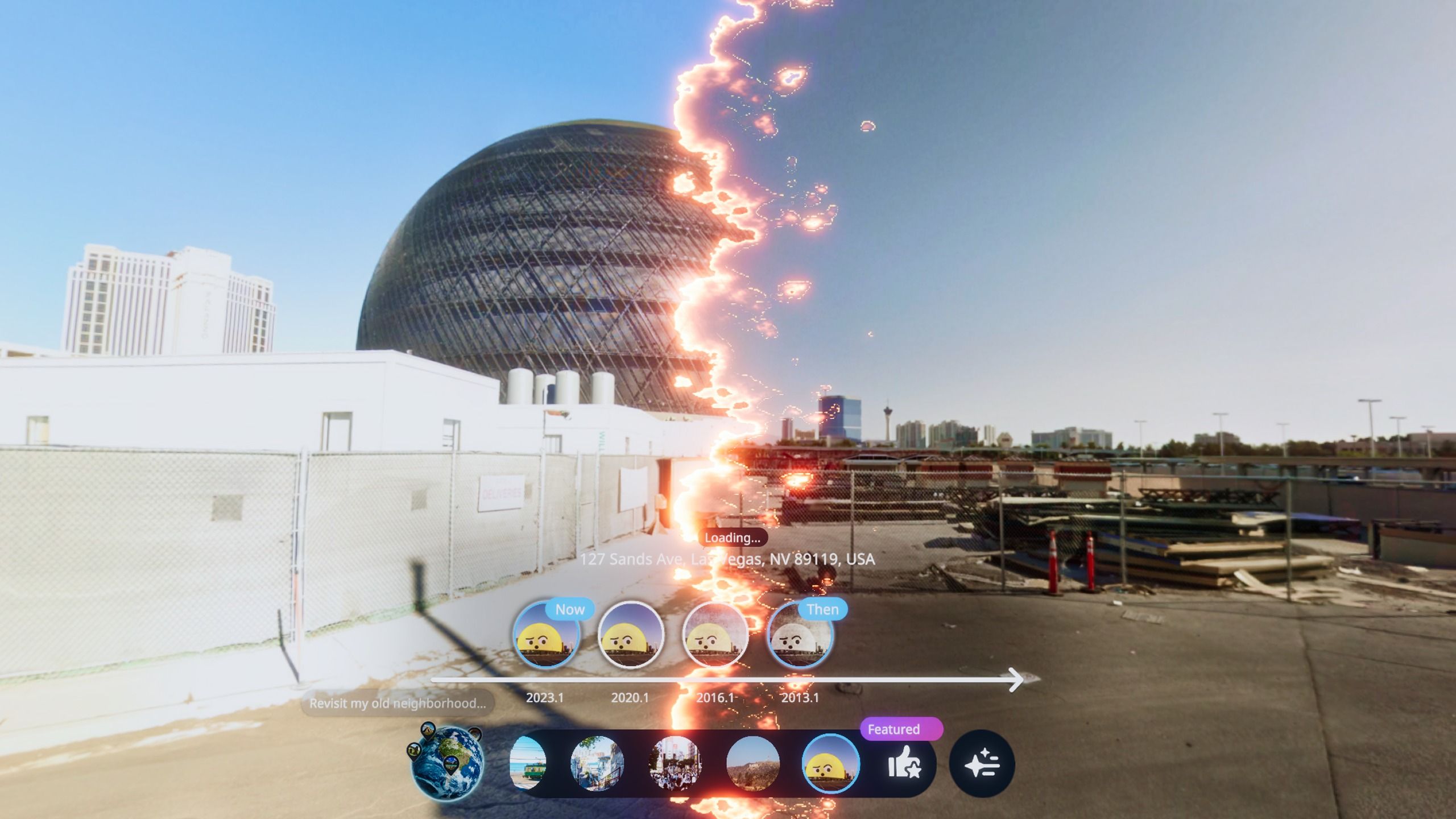
When historical imagery is available, Revisit lets you slip between captures without breaking presence. You remain “in” the same spot, but the skyline breathes in and out—cranes appear and vanish, a grassy lot sprouts an apartment tower, a beloved bookstore glows, then is gone. It’s not a gimmick; it’s a study in how cities, neighborhoods, and our own memories develop. And it works at scales grand and intimate—from the outline of a skyline to the note taped on a laundromat’s door.
Made for Meta Quest: Presence You Can Feel
Head-mounted displays solve a problem desktop maps can’t: scale. On Quest 3 and Quest 3s, your brain gets the subtle cues—head-tracked parallax, stable horizon, natural motion—that make standing inside a panorama feel convincing. Meta’s newer lenses and panels help text on shop windows and street signs look sharper than previous generations, which is particularly useful when you’re verifying that yes, the corner deli in 2016 was called what you remember. None of this turns static imagery into live video; it simply makes the still scene feel like a place. That distinction—between photographic capture and embodied presence—is what makes Revisit different from simply “viewing” maps.
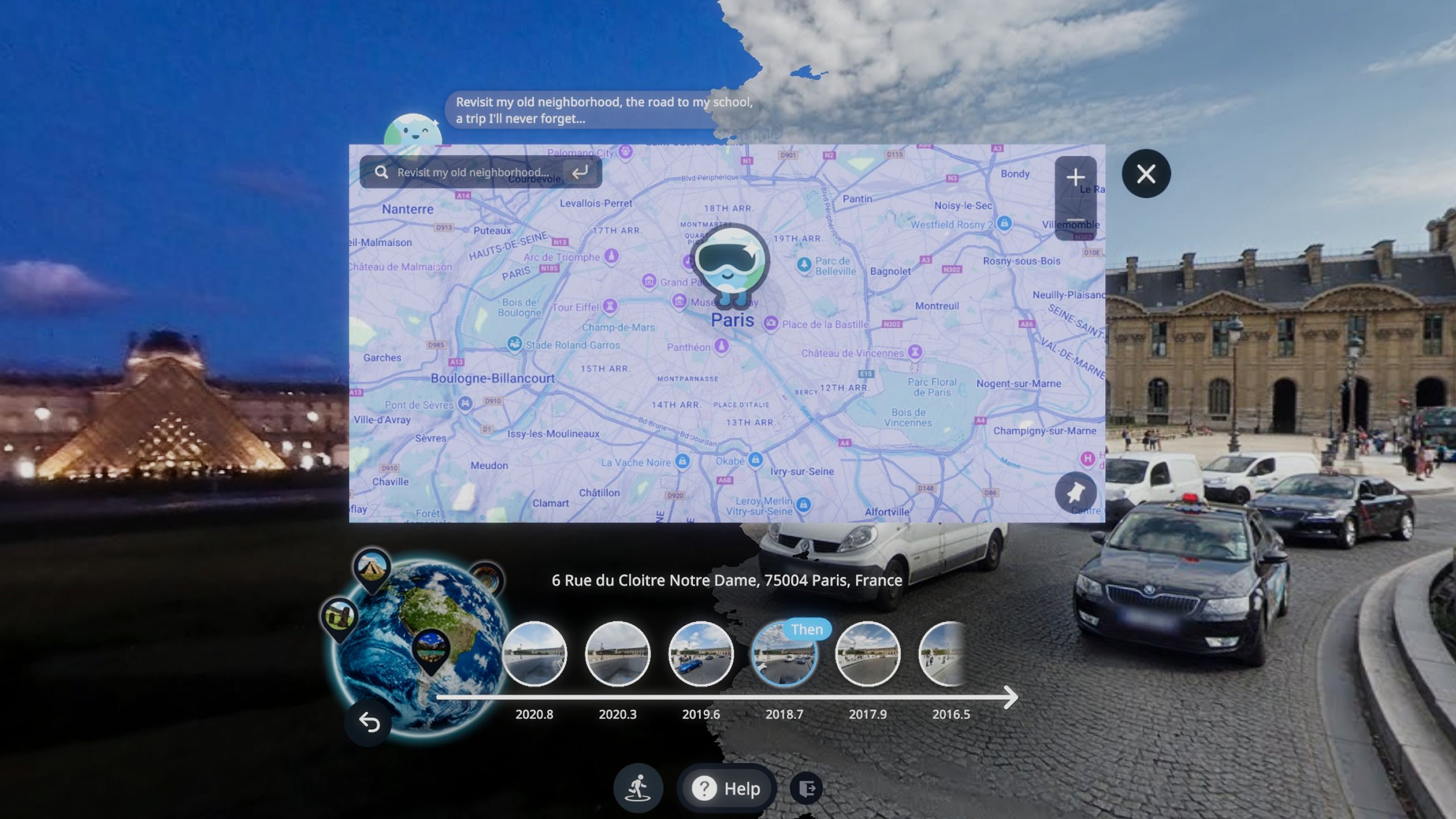
A Night with Revisit: One User, Three Addresses, a Decade Apart
Here’s a simple, real-world story. A traveler—let’s call her Lina—moved countries twice in eight years. One evening she put on her Meta Quest and opened Revisit with a quiet goal: stitch together the parts of her life that existed on different continents. She started with the street outside her first apartment. The VR panorama loaded and, to her surprise, a tiny sticker on a mailbox—something she must have passed a thousand times—grabbed her attention. She toggled to imagery from three years earlier. The sticker wasn’t there. She toggled forward again. It had faded.
That’s not “gameplay.” It’s a small, human discovery, made possible by embodied viewing. Lina hopped to her old office; the café across the square had changed owners, but the wrought-iron bench where she ate lunch remained constant. She flew to the city where she lives now and checked a narrow alley her partner loves—the mural had been repainted twice; the second time, the artist kept the original color palette, a respectful echo only obvious when you can alternate time captures in place. The session ended after an hour, but it stayed with her for days. That’s the “experience” in Experience-Expertise-Authoritativeness-Trustworthiness (EEAT): a believable scenario that shows why the format matters.
Design That Disappears: Finding Your Way Without Fuss
Good VR apps respect attention. With Revisit, the best design is the least noticeable one: pick a location, step into the sphere, look around, and—when available—move along the time axis. The last part is crucial. Because there’s no fabricated geometry or invented light, the app doesn’t pretend Street View is something it isn’t. That honesty is calming. You won’t get motion-heavy smooth locomotion through 3D models; instead, you hop deliberately between photographic nodes. The result is comfortable and oriented. For people sensitive to motion, that discrete “move-then-arrive” pattern is easier on the vestibular system than free-flying camera motion.
Expert tip for newcomers: treat your first sessions like museum visits. Stand naturally, keep your feet planted while you scan, and make small head turns before big ones to gather visual context. If you’re on Meta Quest, set your boundary so you’re not wondering where furniture is. If you want an even slower pace, take breaks between time jumps to let your brain “reset.” VR rewards patience; Revisit makes that patience feel like curiosity instead of waiting.
Where the Images Come From—and Why That Matters
Revisit uses Street View imagery sourced from Google’s mapping ecosystem, presented inside a VR headset. That means coverage and historical depth vary by region. Dense urban cores often have multiple captures across years; some rural or newly developed areas might have fewer. The app doesn’t invent data or synthesize new views; it’s a lens and a navigator, not a generator. This transparency is part of its trust story. When an image is older, that’s what you see. When there’s no historical layer, there’s no guesswork presented as fact.
For privacy and safety, VR is at its best when it’s predictably transparent. On Meta Quest, networked apps rely on the platform’s permission model, and your headset will request access when needed. Revisit keeps those requests simple and clear, ensuring that what you experience stays within your control.
Who Will Love Revisit: Travelers, Historians, City Planners, and the Simply Curious
Travelers use Revisit to revisit itineraries and preview new routes. Educators use it to contextualize lessons—standing students inside a plaza during different redevelopment stages beats any slide deck. Urbanists and city planners appreciate how quickly you can compare sidewalk widths, signage placement, and street furniture across time. And then there’s the rest of us: people who want to check what our old block looked like when we first learned to ride a bike, or to confirm that the bakery really did repaint its façade twice in one summer.
It’s okay if your first stops are personal. In fact, that’s where EEAT’s “Experience” shines: grounding the tech in lived examples. Over time, your sessions may grow outward—from your old street to your dream destinations, from your hometown to places you may never visit in person. For many, the best journeys begin exactly where they are, headset on, memory engaged.
Practical Guidance for a First-Class Session
- Start simple. Pick a single address that matters to you. Explore its most recent capture first; then step backward in time to feel the contrast.
- Read the scene. Street View is photographic. Look for clues: shop signage, foliage growth, street markings, seasonal clothing on passersby. VR makes micro-details surprisingly legible.
- Lean on comfort. Keep transitions intentional. If you ever feel overwhelmed, look at the floor or a stable horizon line before switching years or locations.
Why Presence Beats Pictures: An Analytical Note
From an expertise standpoint, Revisit works because it leverages three perception principles. First, embodied scale: your vestibular system and proprioception calibrate the static panorama as a “room,” which makes environmental reading faster and more confident than on a flat screen. Second, attentional gating: the headset excludes peripheral distractions, focusing you on the scene. Third, temporal juxtaposition: the human brain is excellent at change detection when successive images share a stable frame; standing in place while toggling years makes differences pop without cognitive strain. None of this requires speculative features; it simply explains why VR makes Street View feel new.
Authoritativeness doesn’t mean throwing numbers around when they’re not directly relevant; it means being precise. Street View coverage and update frequency vary by location and time; historical imagery availability is uneven, especially outside city centers. Rather than speculate, the best practice is to try a few addresses you care about and see what’s available. If you’re teaching or researching, create a short list of targets in advance so you can build a focused session that respects your audience’s time and attention.
Trust, Transparency, and the Boring Bits That Matter
Trustworthiness in spatial apps is built on clear expectations. Revisit shows photographic captures without embellishment and relies on the Meta Quest platform’s permission dialogs for network access. The app doesn’t claim to offer live video feeds or generate speculative 3D reconstructions; it simply puts you inside existing imagery and helps you align moments across years. If you rely on accessibility features, the headset’s system-level options—text size in menus, controller remapping, and boundary warnings—remain your friend. When you know what an app is (and isn’t), every feature feels like a promise kept.
FAQ: The Practical Stuff
Does Revisit work on Quest 3 and Quest 3s?
Yes, the app is built for the Meta Quest family, including Quest 3 and Quest 3s, aligning with the platform focus indicated here.
Is this an official Google product?
No. Revisit presents Street View imagery inside VR. It uses mapping images from Google’s ecosystem but is positioned as its own VR browsing experience.
What if a location has no historical imagery?
Not all places have multiple captures. When earlier years aren’t available, the app simply shows the most recent panorama. There’s no guesswork inserted.
Can I use it offline?
At the time of writing, this information has not been made public. Because imagery is networked, an internet connection is typically required to load new locations.
Will I get motion sick?
Many users find node-to-node browsing (as opposed to smooth flying through space) comfortable. If you’re sensitive, keep sessions short and make intentional, stationary transitions between captures.
How does this compare to traditional desktop browsing?
Desktop browsing is great for planning; VR is better for presence. In Revisit, you’re at eye level with the world, which makes memory work, teaching, and urban observation more immediate.
The Bottom Line: Revisit doesn’t try to be everything; it focuses on one magical trick: placing you at real-world coordinates and letting you feel how time has touched them. On Meta Quest, that trick becomes a story you can stand inside. Whether you’re a traveler building context, a teacher crafting place-based lessons, an urbanist tracking change, or simply someone chasing the thrill of recognition, Revisit turns maps into memory—and moments into meaning.