

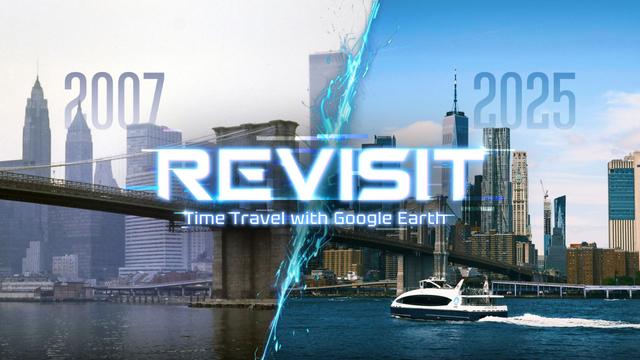
What if nostalgia didn’t live in old photo albums but unfolded life-size around you? That is the promise behind Revisit, a VR app for Meta Quest that turns the world’s most familiar map into a place you can step into. Built around the idea of exploring Google’s street-level imagery in immersive 3D space, Revisit invites you to wander, linger, and—where historical views exist—rewind time to earlier captures of the same place. It is “travel” for those who want to explore, “time travel” for those who want to remember, and “VR” for anyone who wants to feel presence that a flat screen simply cannot deliver.
Unlike a typical desktop experience, Revisit surrounds you with the panorama. You are not dragging a mouse; you are glancing, leaning, and settling into the scene. The way the app leans into VR presence changes the emotional texture of “looking up a place.” A quick search on a laptop is informational. Standing at the corner where you first met a friend—seeing the sun angle, the shop awning, the bus markings—can be transformative. That psychological gap between flat and full surrounds is where Revisit lives.
A Postcard You Can Stand Inside: Why “Presence” Matters
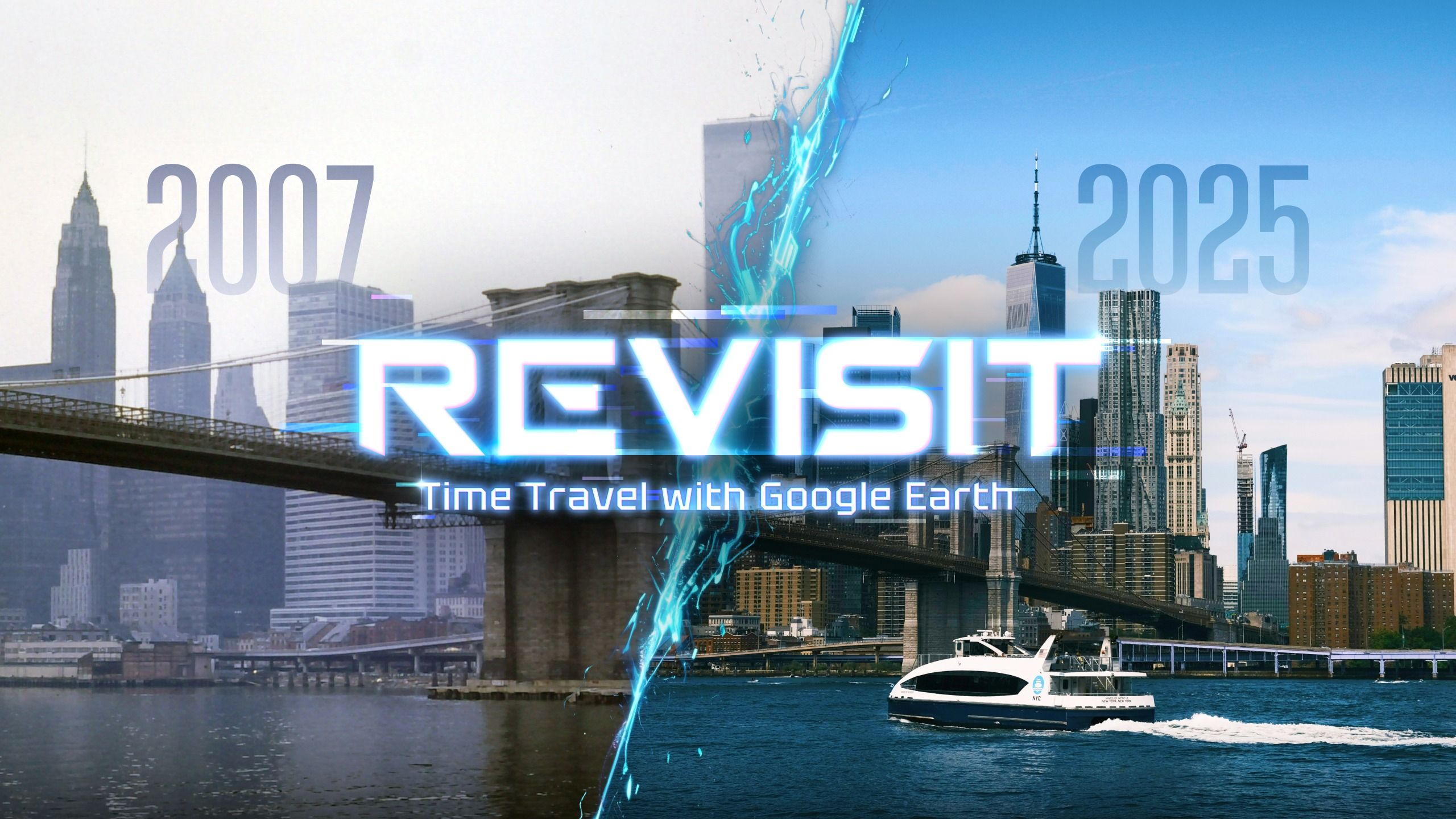
On a monitor, a known neighborhood is a picture. In a headset, it’s an encounter. Revisit amplifies this difference by treating each street scene as a room you can inhabit. The result is a richer sense of scale—buildings feel tall, lanes feel narrow, storefronts give off a particular rhythm of color and signage. For many first-time users, the surprise is not just accuracy but memory density: a thousand subtle cues that spark stories you didn’t know you still had.
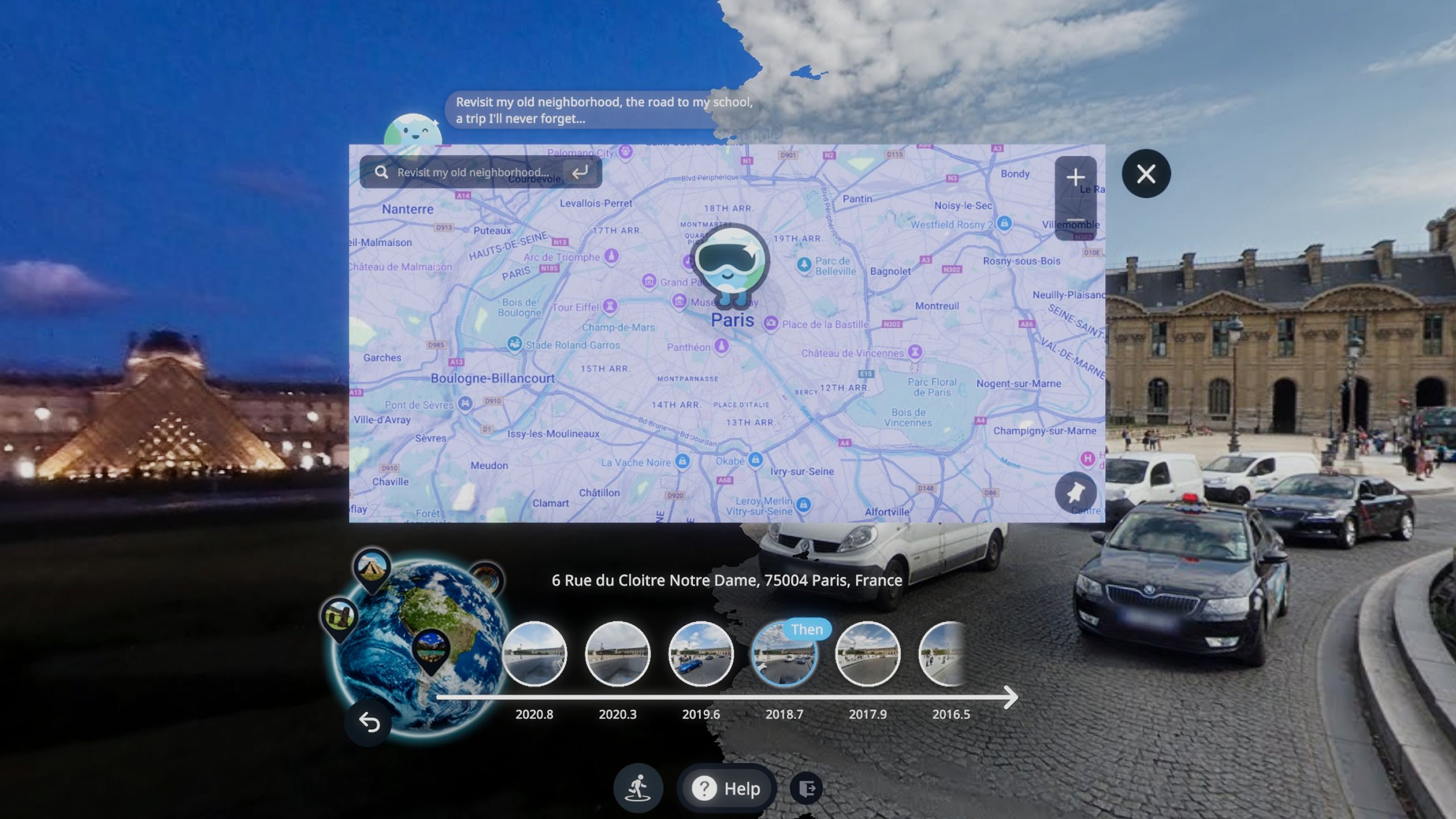
This is especially striking when historical street imagery is available. Revisit lets you compare “then” and “now” views—again, in places where those earlier captures exist. That subtle qualifier matters: some locations have multiple older snapshots; others don’t. But when they do, the ability to pop into a different year, look around, and see the fine changes of a street—rising construction, faded murals, replaced storefronts—lands with a power no timeline scroller can match.
From Explore to Remember: A Family Story That Explains It All
Consider Ava, who moved away from her hometown a decade ago. She invites her dad to try her Quest 3 on a quiet Sunday afternoon. They start in the old city square, drifting one node at a time. He stops at a corner bakery, laughs, and points at the sign that used to be green. A few clicks later—another year visible in the historical view—and there it is, new paint and a different font. They “walk” three blocks to their former apartment building. In the current image, the balcony railings are modern. In an older capture, they spot the original lattice pattern. Dad tells the story of how he locked himself out one winter morning and had to wave at a neighbor for help. It’s a tiny story that resurfaces because it has a stage again. This is not a theoretical use case; it’s the core value Revisit pursues: travel, nostalgia, and the emotional utility of time travel, all within VR.
Designing Comfort for Street-Level Wonder
Exploring street imagery in VR involves a simple but meaningful interaction pattern: discrete moves between capture points rather than analog locomotion. This “node-to-node” approach reduces vection and helps many people feel comfortable during longer sessions. While Revisit doesn’t publish a technical white paper, the interaction model itself is naturally aligned with VR comfort guidance: short, intentional transitions; stable horizon; and ample time to orient at each stop. It’s an approach that suits both new headset owners and seasoned explorers who want to cover distance without discomfort.
Revisit also aligns well with seated use. Because you can dwell at a vantage point to examine signage, rooftops, or sidewalk details, there’s no need for rapid movement or artificial smooth locomotion. On Quest 3 and Quest 3s, the clarity of panels and the fidelity of the panorama pair nicely, helping text and architectural details hold up as you lean in for a closer look.
Why VR Beats a PC for This Kind of Exploration
Desktop navigation is precise and fast, but the sense of place is weaker. In VR, your body does the measuring for you. The curb feels at your feet, a second-story window sits above your eye line, and a narrow alleyway reads as truly narrow. For people using Revisit to plan a trip, this embodied preview transforms “Where do we go after the museum?” into a walkable rehearsal. For those using it to relive a memory—say, the exact block where a proposal happened—first-person scale makes details pop: bricks seem warmer, the distance between benches matters, the trees line up with the story you remember.
Put another way: VR’s strength here is subtlety. You will not chase score streaks or boss fights; you will notice 20 small things your brain links to real moments. That’s why Revisit isn’t just a viewer; it’s a VR app deliberately tuned to the texture of nostalgia and exploration.
Time-Layered Cityscapes: A Journalistic Look at What Changes—and What Doesn’t
Open any city where historical views are available and you get an urban time-lapse with human scale intact. In many neighborhoods, the evolution is architectural: facades modernize, signage norms shift, awnings widen or disappear. In others, change is seasonal and cyclical: a tree grows taller across captures, a painted crosswalk becomes a zebra stripe, and public art rotates. Revisit doesn’t manufacture those changes; it simply places you inside them. The journalistic insight is that this vantage point keeps the comparison honest. You observe from the same spot, with the same field of view, at different points in time.
There’s a pattern many users report after a few sessions: they start with iconic monuments—“Let’s go to the Golden Gate” or “Show me the Colosseum”—but return to their own blocks and school routes. The big landmarks impress, but the personal streets transform. Revisit is built for that reversal of focus, encouraging deep familiarity rather than postcard collecting.
Practical Tips for First-Time Explorers (Meta Quest, Quest 3, Quest 3s)
- Pick a purpose for your session. Are you exploring for a future trip, indulging nostalgia, or sharing memories with someone else? Having an intention makes the time feel grounded.
- Move deliberately. Street imagery is organized in steps. Take one, look around, then take another. This cadence keeps you oriented and helps you notice detail you’d miss by rushing.
- Compare where comparisons exist. When older captures are available, switch views and observe small shifts: window treatments, street furniture, poster styles. The delight is in micro-differences.
- Share the headset. Revisit sessions shine when they’re social. Hand the Quest to a partner or parent. Let them take you somewhere that matters to them.
- Give your eyes real breaks. As with all VR apps, step out every so often to rest and hydrate. Presence is powerful; pacing makes it sustainable.
Expert Notes: What Makes a Great Street-View VR Experience
- Stable transitions: Jump cuts between capture points need to be brief and predictable, with a visual rhythm that your vestibular system accepts. Smooth fades and clear anchoring landmarks are key to comfort.
- Readable text: Street signage and storefront typography are essential to the “memory map.” Clear rendering and a sensible default zoom make those details legible without strain.
- Session pacing: Because the content is informational and emotional (rather than game-driven), the best pacing emphasizes dwelling. Let people look and feel before moving onward.
- Respecting availability: Older imagery isn’t universal. The UI should gently communicate when historical views exist, and when they don’t, without breaking immersion.
Use Cases That Keep You Coming Back
Trip rehearsal: If you’re planning to visit a new city, stage your first morning. “Arrive at the station, exit to the south plaza, turn right at the fountain, second left to the cafe.” Doing this in VR builds a mental map better than a list of directions.
Memory sessions with family: Ask a parent or grandparent to guide you through their old commute—or the street where they played as kids. Revisit is at its best when it becomes a vehicle for storytelling.
Neighborhood research: If you’re curious about how a street has evolved where older images are available, a VR comparison can help you spot trends—more bike lanes, fewer surface parking lots, changes in storefront mix—without leaving your chair.
Questions We Hear Most from First-Time Explorers
Q: Is Revisit a game or a viewer?
A: It’s a VR app centered on exploration and memory. There are no scores or levels; the “win” is a stronger sense of place and time.
Q: Does every location have historical images?
A: No. Some places offer multiple older captures, others have only a current view. Where those older captures exist, Revisit lets you compare them in VR.
Q: Which headsets can I use?
A: The app is built for the Meta Quest platform, including Quest 3 and Quest 3s. If you’re new to Meta Quest, a seated setup works beautifully for this kind of exploration.
Q: Are there advanced technical details—codecs, formats, or similar—that I need to know?
A: Revisit is not a media player and doesn’t revolve around codec support; it presents street-level imagery in VR. For media-playback needs, many users explore separate tools like the linked players above.
Q: Can I rely on Revisit for exact historical accuracy?
A: Revisit visualizes imagery captured at particular times. It’s a faithful window onto those captures, but it doesn’t claim to be a comprehensive historical record. Treat it as a powerful, human-scale way to observe change where images exist.
Q: Does the app collect personal data or require special accounts?
A: The app’s store listing is the best place to review current data practices and permissions. As with any VR software, always check the privacy policy and permissions presented at install time.
Why Revisit Deserves a Permanent Spot on Your Quest Library
Revisit succeeds because it reframes a familiar daily tool—maps—through VR’s core strengths: presence, scale, and embodied memory. By centering travel, nostalgia, and exploration, it offers something standard screens can’t: the feeling that you’ve gone somewhere, even when you haven’t left the couch. For Quest owners who love the “wow” of a first demo but crave deeper, quieter value, this is that app—the one that turns “let me show you something neat” into “let me show you a moment that mattered.”
If your headset time so far has been dominated by games, Revisit adds a complementary rhythm: slow, attentive, and oddly restorative. And if you’re new to VR, it’s a perfect first experience—simple to grasp, profound in effect, and kind to beginners. That’s why so many people use it to explore their next journey, to relive a cherished corner, or to share a story that only makes sense when you’re back on the right street, at the right scale, with the right person listening.
Step in. Look up. Revisit.